
1. Log in to Plesk
2. Go to Websites & Domains > example.com > Mail > Mail Importing and click Import mail messages.
3. Fill in the fields:
4. Click OK
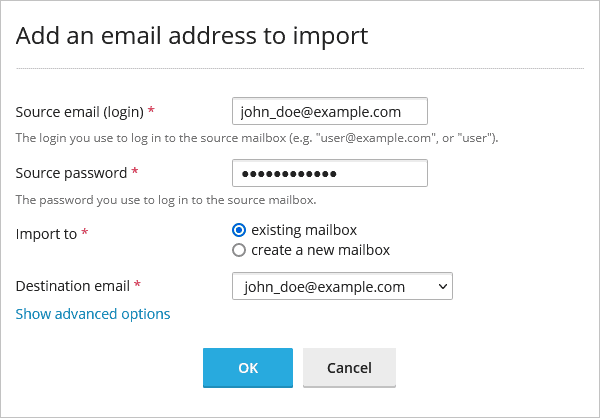
Plesk will try to connect to the source server via IMAP over SSL. If the source mail server does not support encrypted connections via IMAP or is secured with a self-signed or an invalid SSL/TLS certificate, Plesk will ask your permission to import mail over insecure connection. If you are fine with migrating emails over IMAP without SSL, click Continue anyway to start migrating emails.
If the migration fails for a reason, go to Show advanced options and fill in manually
If the migration keeps on failing most probably your old provider prefers to connect to an unsecured IMAP port, please open a support ticket via your client area.